

FeaturesUptime monitoring
Get an alert when a monitored site stops responding.
WPShift requests your site from outside its server on a schedule, every five minutes by default, and records what came back. Availability and response times sit in the same dashboard as the servers behind them.
Free plan available. Features vary by plan. Server costs are separate.
How it works
- Step 1
Checked from outside the server
A check running on the server cannot tell you the server is unreachable, so the request comes from elsewhere.
- Step 2
Repeated failures raise the alert
One failed request does not alert anybody. You choose how many consecutive failures do.
- Step 3
The history is kept
Every check is recorded, so an incident can be reviewed after it has passed rather than reconstructed.
Availability and response time, recorded every check
Each check records whether the site answered, what status it returned and how long it took. Because response times are kept, a site that has been getting slower for a fortnight reads as a trend rather than arriving as a surprise.
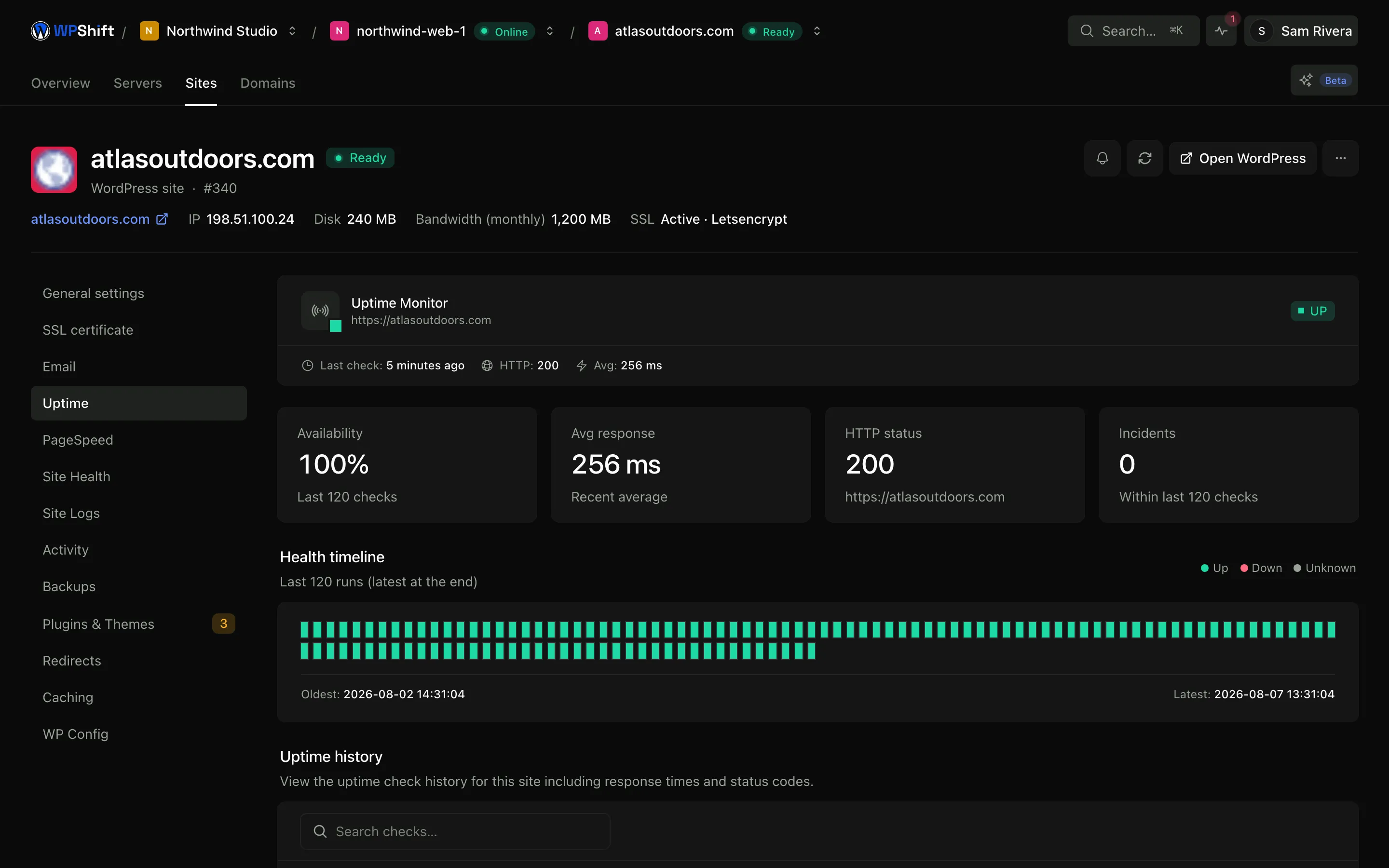
A record you can show a client
The full history of checks turns "it has been fine" into something you can point at, which is the difference between an opinion and an answer when a client asks how reliable their site has been.
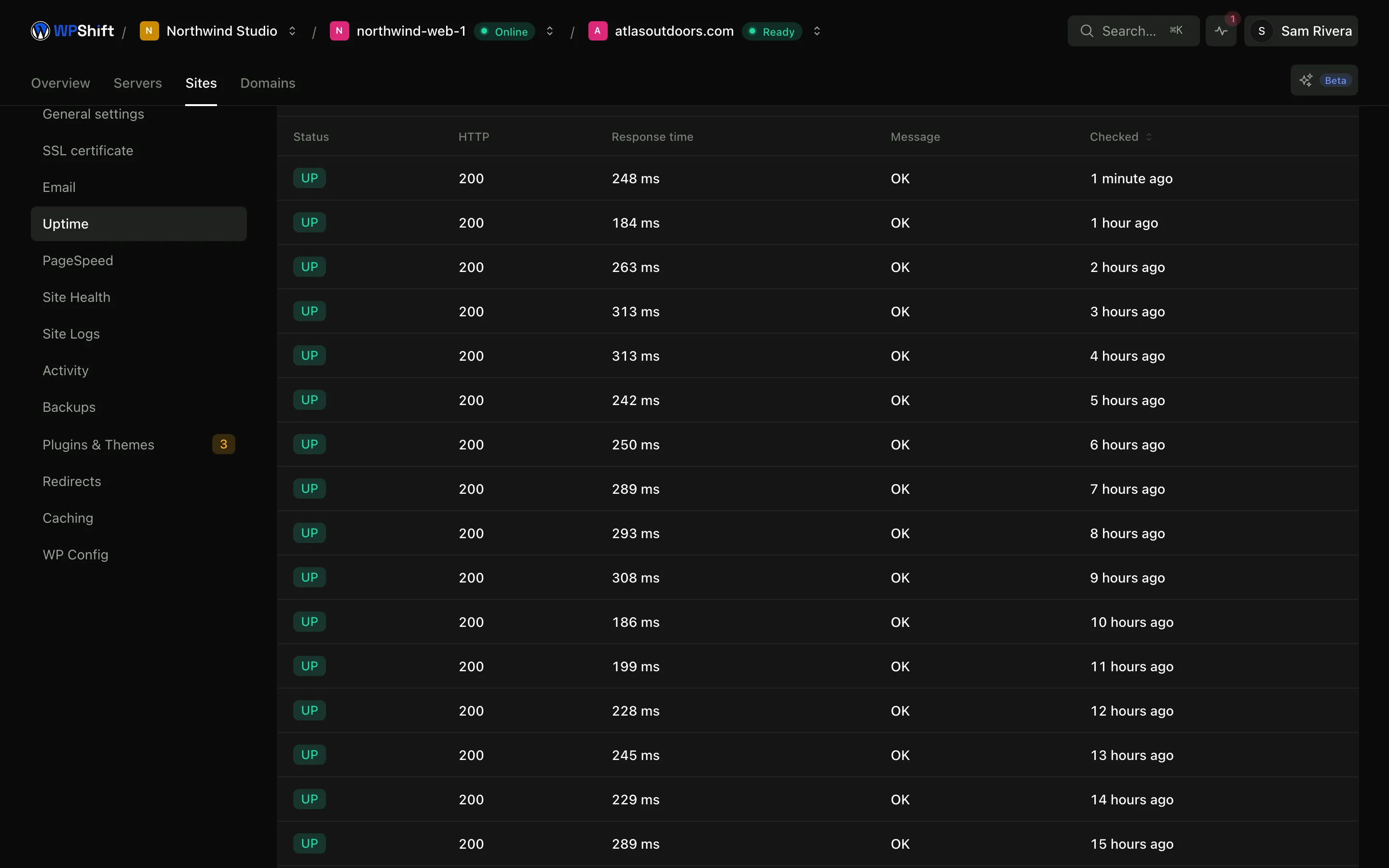
Tune the sensitivity per site
Check interval, timeout and the number of consecutive failures before an alert are settings on each monitor. A checkout that must not be down and a small brochure site do not need the same thresholds.
Follow up with the server record
An uptime check tells you a request failed. The server's resource charts and the record of operations that ran around that time are where you look for a cause.
Common questions
How often is a site checked?
Every five minutes by default, and the interval is adjustable per monitor.
Is this the same as the server health check?
No. Server health and resource collection run on their own cycle against the server itself. Uptime monitoring requests the site from outside. They are separate checks with separate settings, and they can disagree: a server can be healthy while a site returns an error.
Will one slow response wake me up?
Not unless you configure it to. An alert waits for the number of consecutive failures you set, so a single slow request does not trigger one.
Does WPShift fix an outage automatically?
No. Monitoring provides checks, history and alerts. What to do about a failure is a decision you make with that information.
Which plans include uptime monitoring?
Uptime monitoring is available on paid plans. See the plan comparison for what each one includes.
Keep reading
- Server monitoringTrack CPU, memory, disk usage and load, with the history behind each reading.
- PageSpeed monitoringTrack mobile and desktop PageSpeed results and see when a score changed.
- BackupsSchedule off-server backups and restore a copy when you need to recover a site.
- AI CopilotInvestigate a question about your setup using your own resources and operation records.
Set up your first WordPress server
Connect your cloud account, let WPShift prepare the server, and add a site.
Free plan available. Paid plans include a 7-day trial. Server costs are separate.