

FeaturesPHP versions
Choose the PHP version for each site.
A server can have several PHP versions installed at once, and every site says which one it uses. That lets you move one site to a newer version without moving the rest.
Free plan available. Features vary by plan. Server costs are separate.
How it works
- Step 1
Install the versions you need
A server can hold more than one PHP version at a time. Adding one leaves the sites already running on the others untouched.
- Step 2
Set the version per site
Each site runs in its own PHP process, so the version is a setting on the site rather than on the server.
- Step 3
Change it back if you need to
Switching versions changes the PHP runtime only. Your files and database content are not modified either way.
Sites can move one at a time
Upgrading every site on a server together means waiting for whichever theme or plugin is slowest to catch up. Per-site versions let you move the sites that are ready and leave the others where they are until their code is updated.
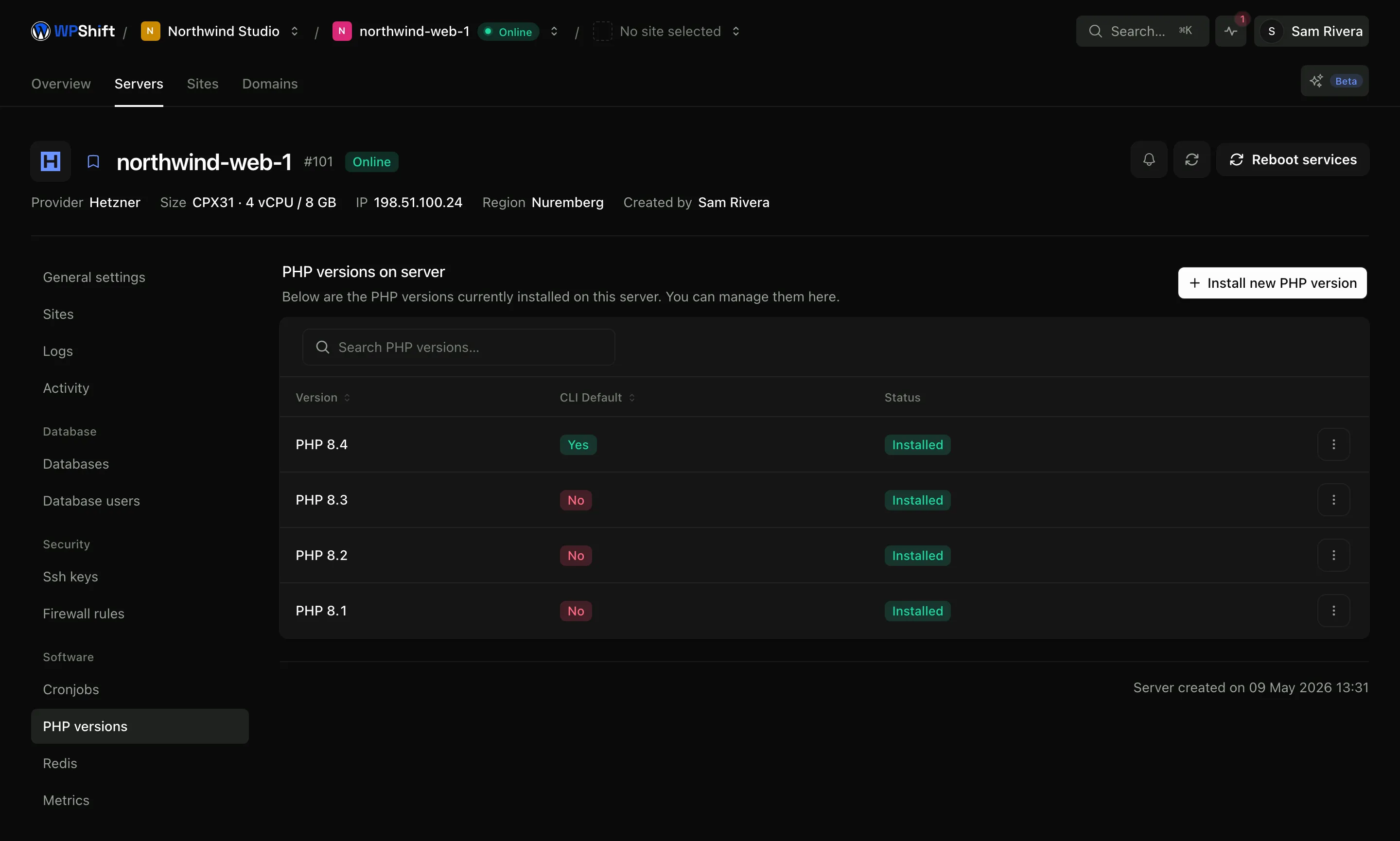
Each site runs its own PHP process
Sites do not share a PHP process, so two sites on the same server can run different versions. Changing one site's version restarts that site's process; the others carry on serving requests.
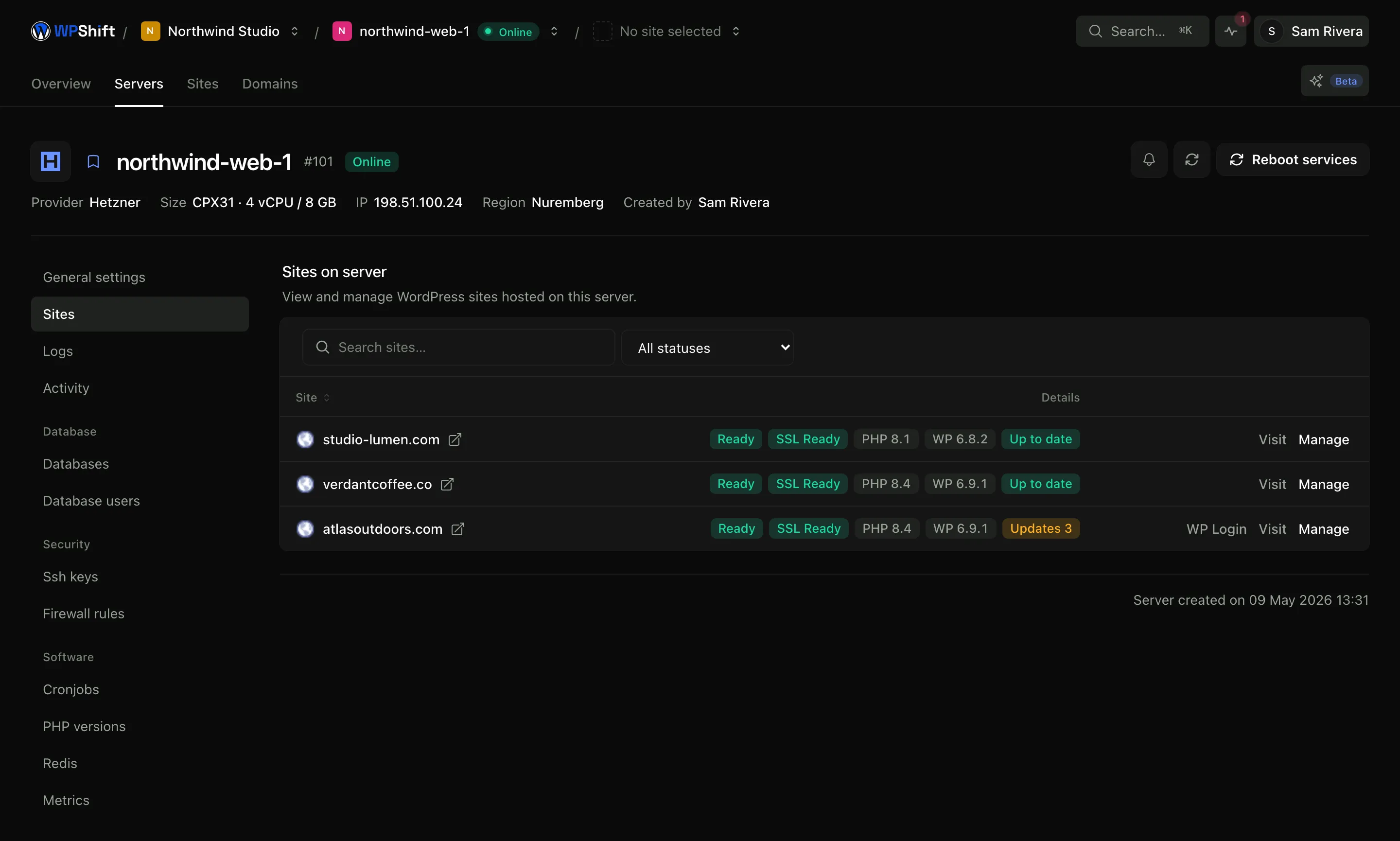
Test the upgrade on a copy
Clone the site, set the copy to the newer version and work through the pages and functions your visitors use: forms, checkout, member areas. A compatibility problem found on the copy costs you an afternoon; the same problem found on the live site costs more.
Edit PHP settings from the dashboard
Memory limit, upload size, execution time and OPcache settings are editable from WPShift's PHP controls, without opening a terminal.
Common questions
Can one server run more than one PHP version?
Yes. Several versions can be installed on the same server at the same time, and each site chooses which one it uses.
Which PHP versions are available?
The dashboard lists the versions available for your server. Choose one that is still maintained and that your theme and plugins support.
Does switching a site's PHP version take it offline?
Changing the version restarts that site's PHP process, so there is a brief interruption to that site. Other sites on the server keep serving requests.
How do I know a site is ready for a newer version?
Copy the site, run the copy on the new version and use it the way an editor and a visitor would. The copy has the same plugins, theme and content, so most compatibility problems appear there first.
Can I switch back?
Yes, as long as the older version is still installed. Switching back changes the runtime. It does not undo changes a plugin or theme made to your content while the site was on the newer version.
Keep reading
- Cloud serversConnect your cloud account and let WPShift install and configure the server for WordPress.
- Staging & cloningCopy a site to test a PHP, plugin or theme change before touching the live version.
- CachingReduce repeated work with server-level page caching and a Redis object cache.
- Site managementInstall WordPress and manage plugins, themes, logs and hosting settings in one place.
Set up your first WordPress server
Connect your cloud account, let WPShift prepare the server, and add a site.
Free plan available. Paid plans include a 7-day trial. Server costs are separate.