

FeaturesTeam access
Give your team and your clients their own access.
Invite people with their own accounts instead of sharing one login. Group servers, sites and domains into workspaces so a client sees their own work and none of anyone else's.
Free plan available. Features vary by plan. Server costs are separate.
How it works
- Step 1
Group work into workspaces
A workspace holds servers, sites, domains and mailboxes. Use one per client, or one for the whole team.
- Step 2
Invite people by email
Each person sets up their own account, so access belongs to them rather than to a password several people know.
- Step 3
Set what each person can do
On plans that include role-based access, assign the permissions the work actually needs.
Individual accounts instead of a shared login
A shared login has to be changed and redistributed every time somebody leaves, and the person who misses the message is the one who calls you. Individual accounts are removed one at a time, and nothing changes for anybody else.
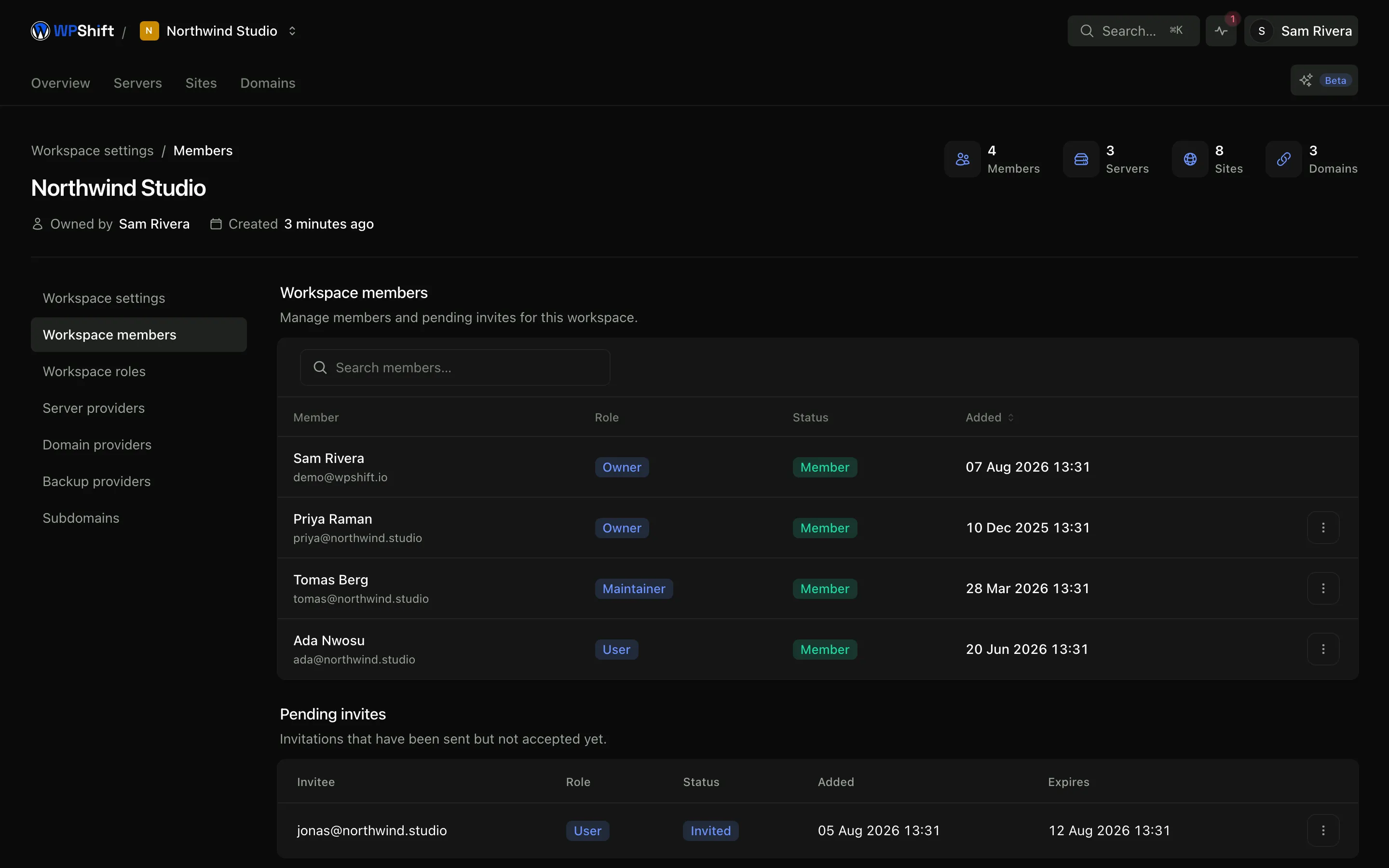
Permissions that match how the work is divided
The person updating plugins, the person looking after servers and the person paying the invoice are often three different people. Role-based access lets you grant what each of them needs and nothing beyond it.
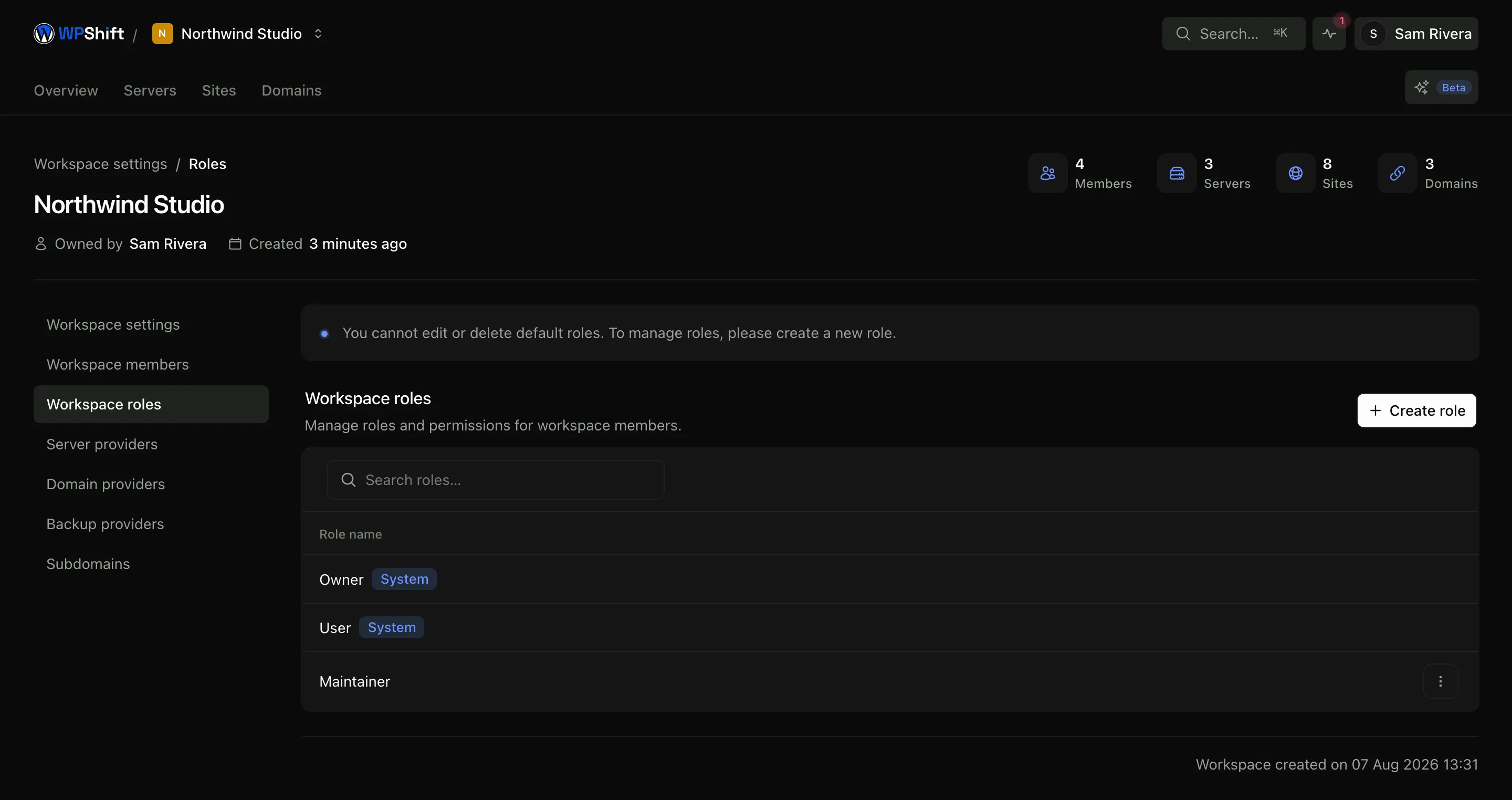
Workspaces separate clients
A workspace is the boundary for its servers, sites, domains and mailboxes. Someone invited to one workspace works in that one; the others are not visible to them.
Review access when the team changes
Removing someone from a workspace removes their dashboard access. Any SSH key or other credential they hold on a server is separate and has to be removed too, because dashboard access and server access are not the same thing.
Common questions
Can I give a client access to only their own sites?
Yes. Put that client's servers, sites and domains in their own workspace and invite them to it. They will not see anything outside it.
Can one person work across several clients?
Yes. A person can belong to several workspaces, with a different level of access in each if that suits.
Are permissions included on every plan?
No. Role-based access is available on higher plans, and the number of team members varies by plan. See the plan comparison.
What happens when somebody leaves?
Remove them from the workspace, then remove any SSH key or server credential they held. Both steps are needed, because the two kinds of access are managed separately.
Is there a record of who did what?
Operations record the person who started them. A full audit log is a plan feature. See the comparison for which plan includes it.
Keep reading
- Security & firewallA default-deny firewall, managed SSH keys, and separate users and credentials per site.
- Cloud serversConnect your cloud account and let WPShift install and configure the server for WordPress.
- Email hostingCreate business mailboxes on your domains and use webmail or your own mail app.
- AI CopilotInvestigate a question about your setup using your own resources and operation records.
Set up your first WordPress server
Connect your cloud account, let WPShift prepare the server, and add a site.
Free plan available. Paid plans include a 7-day trial. Server costs are separate.