

FeaturesDomains & DNS
Manage domains alongside your sites.
Run a domain's DNS in WPShift and the records your sites and mailboxes depend on are created and kept in step. You can also leave DNS with your current provider, because a site works either way.
Free plan available. Features vary by plan. Server costs are separate.
How it works
- Step 1
Point the domain at WPShift
Change the nameservers at your registrar to point the domain at WPShift, and keep the domain registered wherever it is today.
- Step 2
Site records are written for you
Create a site on a managed domain and the records pointing it at the right server are created with it.
- Step 3
And updated when things move
Move the site to another server and the record it depends on moves with it. That is the step people forget.
Managed records follow the thing they point at
A site moved to a new server keeps working for exactly as long as the old server stays switched on, because the DNS record still points there. Records WPShift manages are marked as managed and are updated when the resource they describe changes.
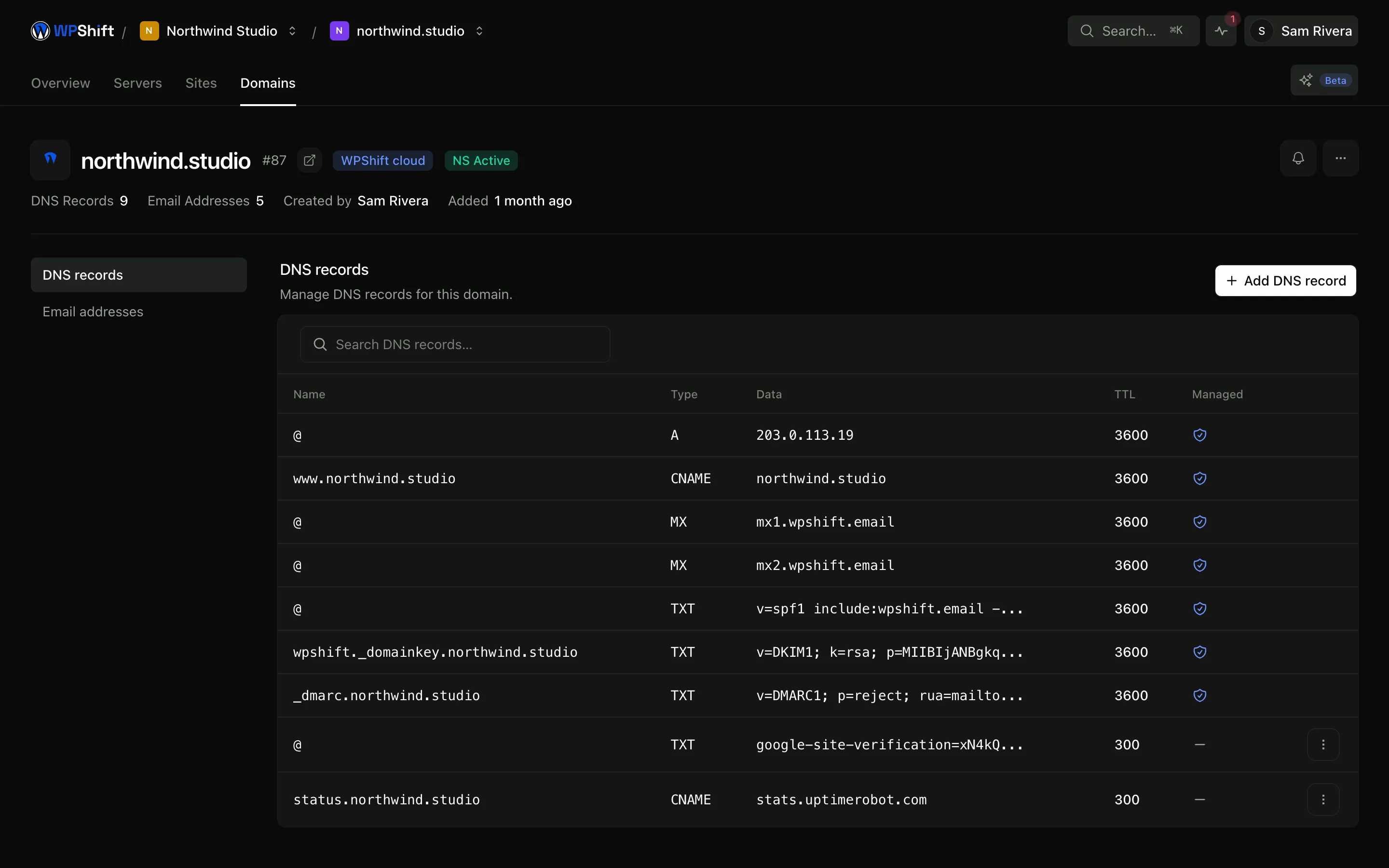
A full editor for everything else
Add a verification record for a search console, records for an external mail provider, an entry for a CDN, all with the usual TTL and priority controls and without a support ticket.
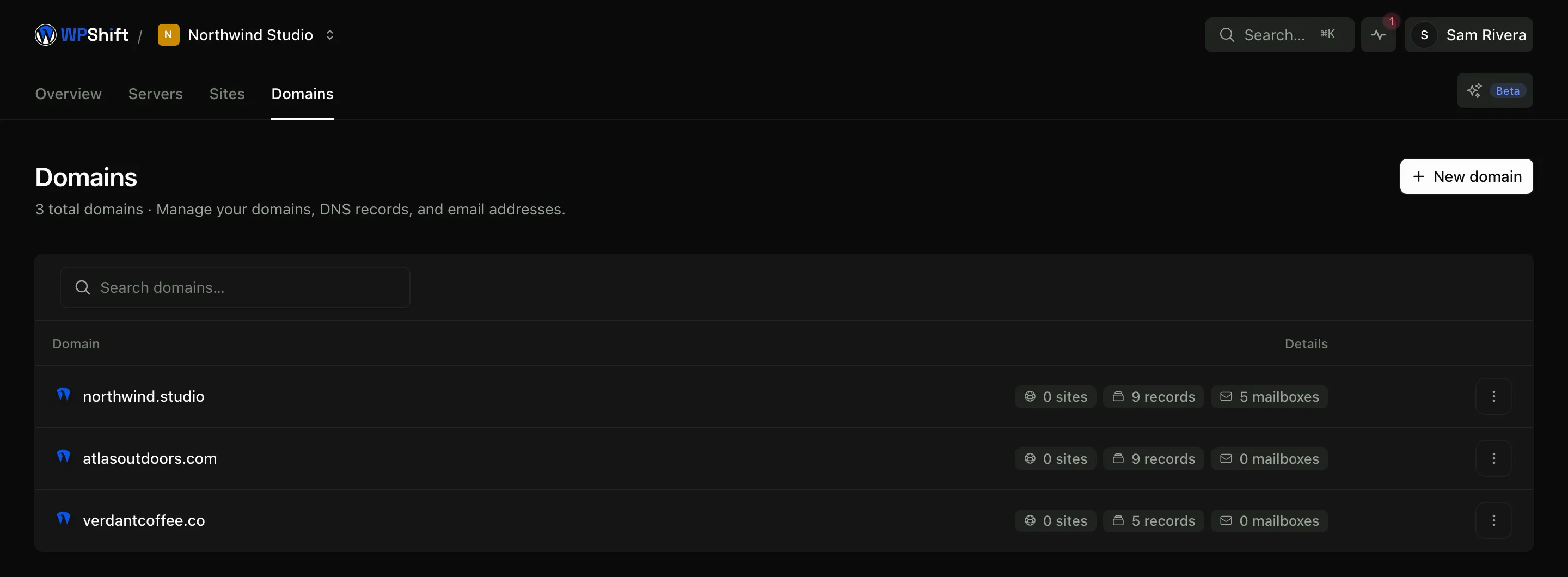
Mail records written with the mailbox
When WPShift manages a domain's DNS and you create a mailbox on it, the records that route mail and let receiving systems verify it are configured through the same workflow, rather than transcribed by hand from three different help pages.
Keep your registrar, or use external DNS
Hosting a site with WPShift does not require moving its registration. Cloudflare and other external DNS providers are supported; when you use one, check that requests used for certificate validation reach the server.
Common questions
Do I have to transfer my domain to WPShift?
No. You can leave the domain with your current registrar and point it at the server. Managing DNS here is a convenience, not a condition of hosting the site.
What happens to DNS when a site moves to another server?
Records that WPShift manages are updated to the new server. Records you maintain at another provider stay yours to update, which is the most common way a move goes half-finished.
Can I use Cloudflare in front of my site?
Yes, either by connecting Cloudflare as your DNS provider or by pointing the domain at it and managing records there. Check that the path used for certificate validation is not intercepted.
How long do DNS changes take?
The change is saved immediately. How quickly other systems see it depends on the TTL of the record being replaced, so lowering the TTL a day before a planned move shortens the switch considerably.
Do I have to move my domain to WPShift?
No. WPShift does not sell domain registrations, so the domain stays with whichever registrar you bought it from. You either point its nameservers at WPShift and manage the records here, or leave DNS where it is and add the records yourself.
Keep reading
- Email hostingCreate business mailboxes on your domains and use webmail or your own mail app.
- SSL certificatesIssue free certificates, renew them automatically and see when a renewal needs attention.
- Site managementInstall WordPress and manage plugins, themes, logs and hosting settings in one place.
- Cloud serversConnect your cloud account and let WPShift install and configure the server for WordPress.
Set up your first WordPress server
Connect your cloud account, let WPShift prepare the server, and add a site.
Free plan available. Paid plans include a 7-day trial. Server costs are separate.