

FeaturesSite management
Manage your WordPress sites from one dashboard.
Install a new WordPress site, copy one you already run, or import one from another host. WPShift prepares the hosting and keeps the controls for every site in the same place.
Free plan available. Features vary by plan. Server costs are separate.
How it works
- Step 1
New, copy or import
A fresh WordPress install, a copy of a site you already run here, or an import from another host using the WPShift plugin.
- Step 2
Give it a domain
On a domain whose DNS WPShift manages, the records are configured for you. A domain kept elsewhere works too, as long as you point it at the server.
- Step 3
Configuration and certificate
The site is created with its own system user, database and PHP version, and a certificate is issued once the domain resolves to the server.
Everything about a site in one place
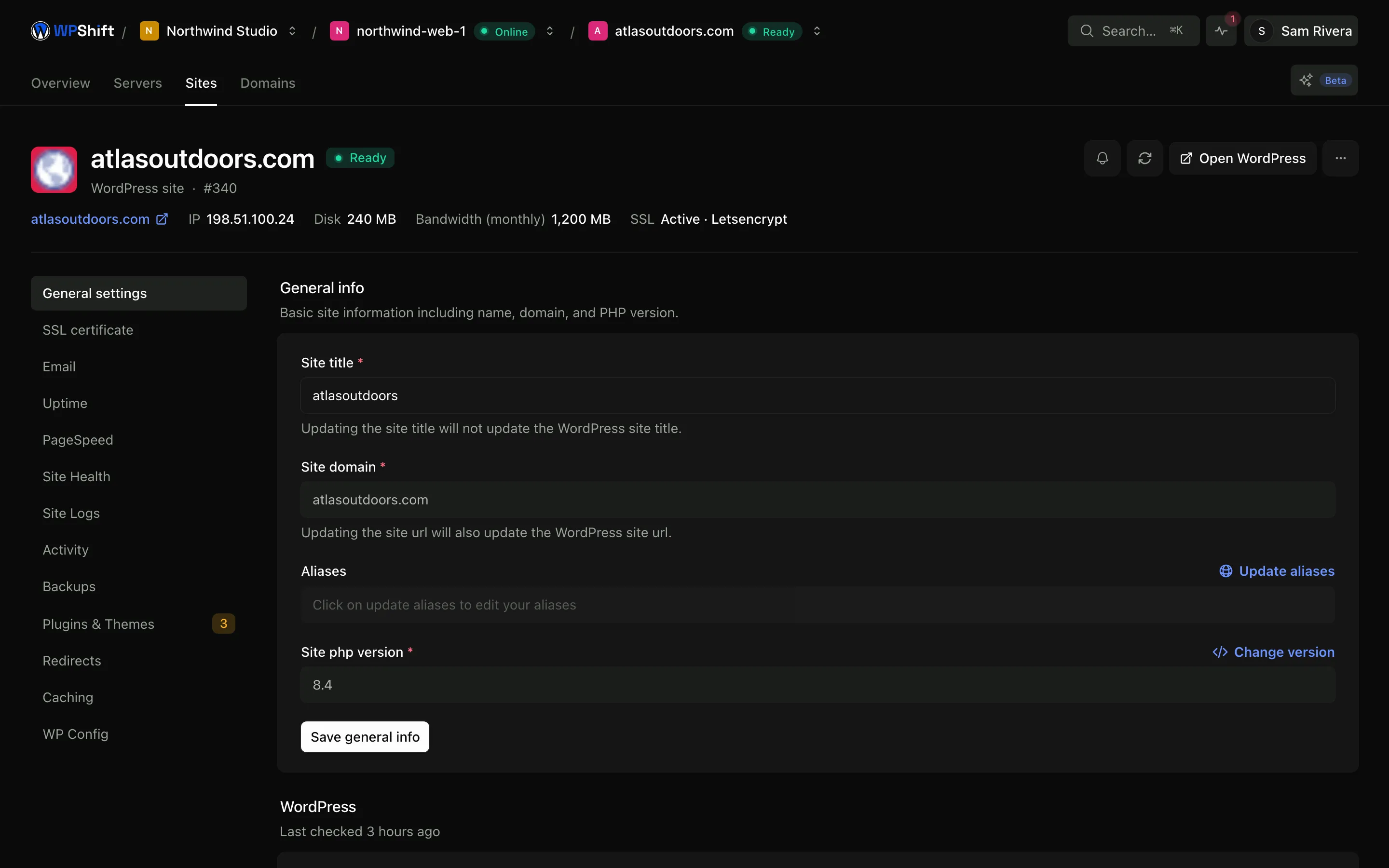
Certificates, caching, PHP settings, backups, logs, plugins, themes and redirects each have their own page under the site, so hosting work does not mean moving between a provider panel and a WordPress login. Which of these are available depends on your plan.
See the whole portfolio at once
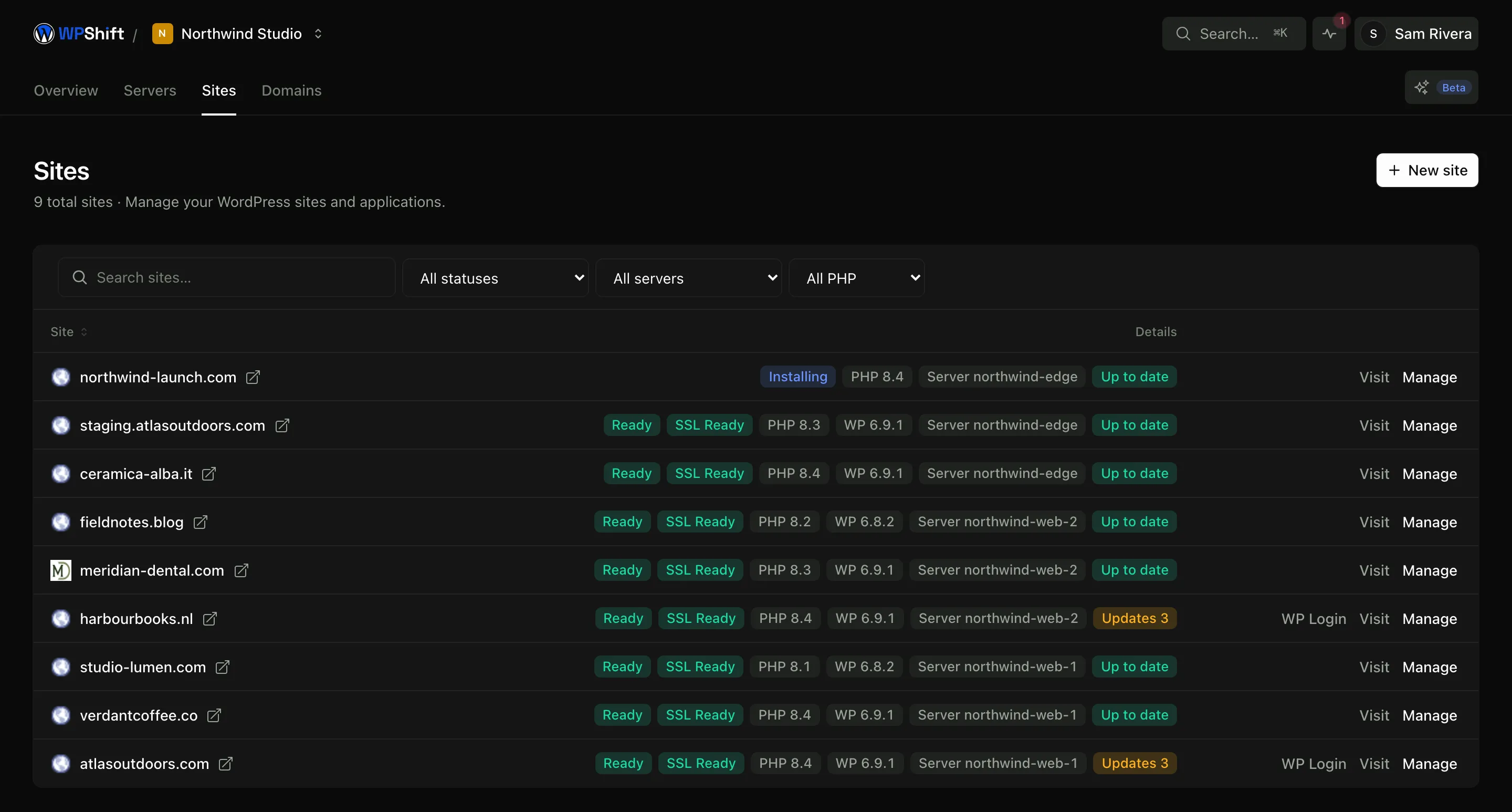
One list of every site across every server, with the PHP version and current status of each. That is the view you want when the question is which sites are behind, rather than how one particular site is doing.
Plugins and themes without a separate login
The WPShift companion plugin reports the plugins and themes installed on each site and which of them have updates waiting, so you can see the position across your sites in one place instead of opening each dashboard in turn.
Deleting a site removes its parts
Removing a site removes its system user, database, web server configuration and certificate, so a finished client site does not stay quietly reachable on the server. Backups already taken are kept, because deleting a site is often exactly when someone wants one.
Common questions
Do I still use the WordPress admin?
Yes. These are standard WordPress installations. Use WordPress for your content and the site itself, and WPShift for the hosting underneath it.
Can I move an existing site here?
Yes. The WPShift plugin copies the database and files to a destination site, and you can review the result on a temporary address before pointing your domain at it.
How many sites can I have?
Your plan sets how many sites WPShift will manage. The server's resources set how many it runs well. Those are separate limits and you can reach either one first.
What happens when I delete a site?
Its system user, database, web server configuration and certificate are removed. Backups already taken are retained.
Can I manage plugin updates from WPShift?
The companion plugin reports installed plugins and themes and which have updates available, and plugin and theme management is available on every plan. Whether to apply an update is still your call, and testing a significant one on a copy first is worth the time.
Keep reading
- Staging & cloningCopy a site to test a PHP, plugin or theme change before touching the live version.
- PHP versionsInstall several PHP versions on one server and choose one per site.
- SSL certificatesIssue free certificates, renew them automatically and see when a renewal needs attention.
- BackupsSchedule off-server backups and restore a copy when you need to recover a site.
Set up your first WordPress server
Connect your cloud account, let WPShift prepare the server, and add a site.
Free plan available. Paid plans include a 7-day trial. Server costs are separate.