

FeaturesStaging & cloning
Test changes on a copy of your site.
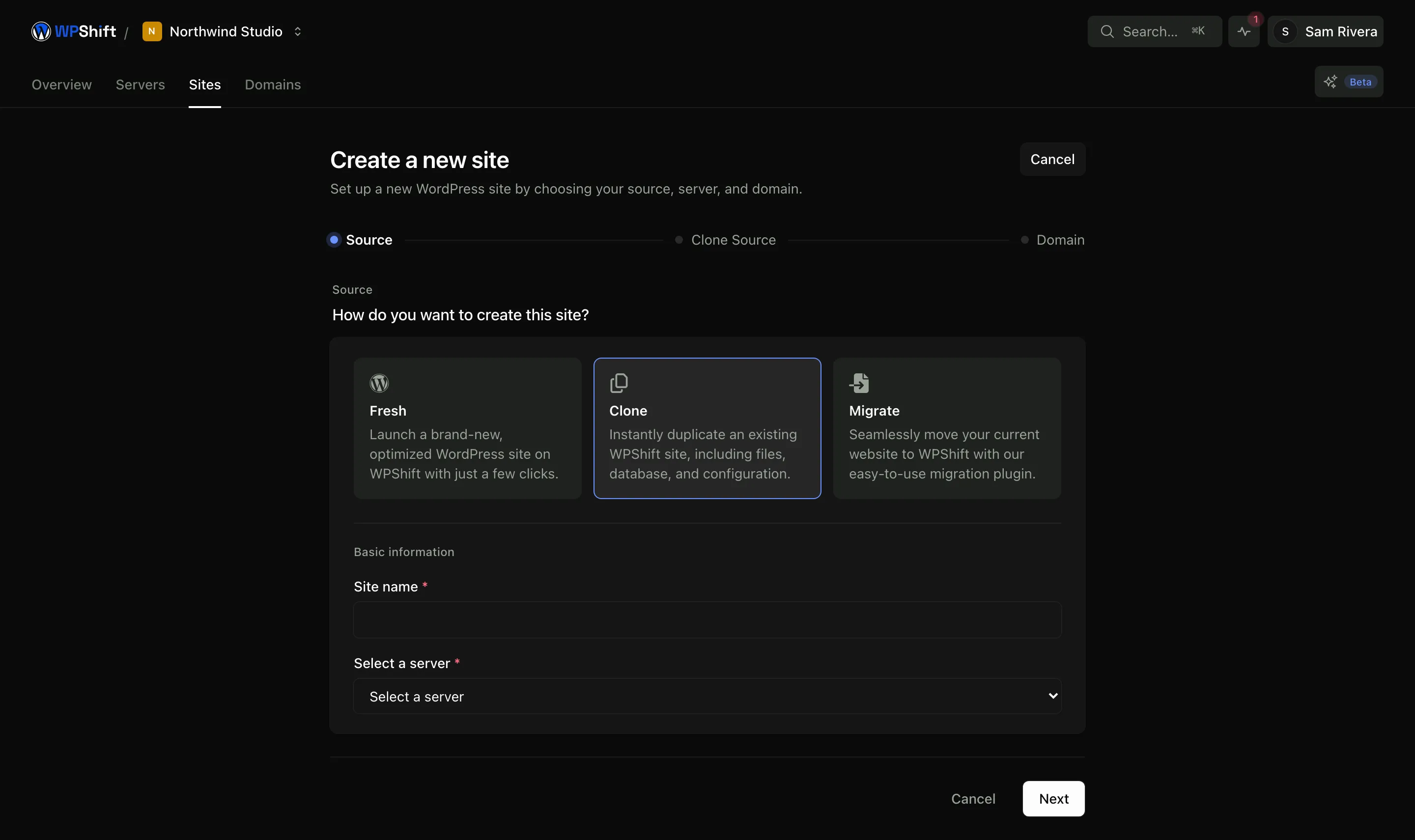
Clone a site, with its database, uploads, plugins, theme and settings, onto the same server or another one. The copy is a separate site with its own address and database, so what you do to it does not touch the original.
Free plan available. Features vary by plan. Server costs are separate.
How it works
- Step 1
Choose the site to copy
The clone takes the source site's database, files, plugins, theme and PHP version.
- Step 2
Choose where it goes
The same server or another server you manage. A different server lets you rehearse a move as well as a change.
- Step 3
Work on the copy
It gets its own address, database and system user. Delete it when you have finished with it.
A copy that matches the original
Testing against a blank install, or against a copy with the content stripped out, answers a different question from the one you asked. A clone runs the same plugins and the same content on the same kind of server, so a problem that would show up on the live site usually shows up here.
The safe way to try a PHP upgrade
Put the copy on the newer PHP version and work through the pages that matter: forms, checkout, member areas, anything with a custom integration. Then decide whether to move the live site across.
Cloning creates a new site
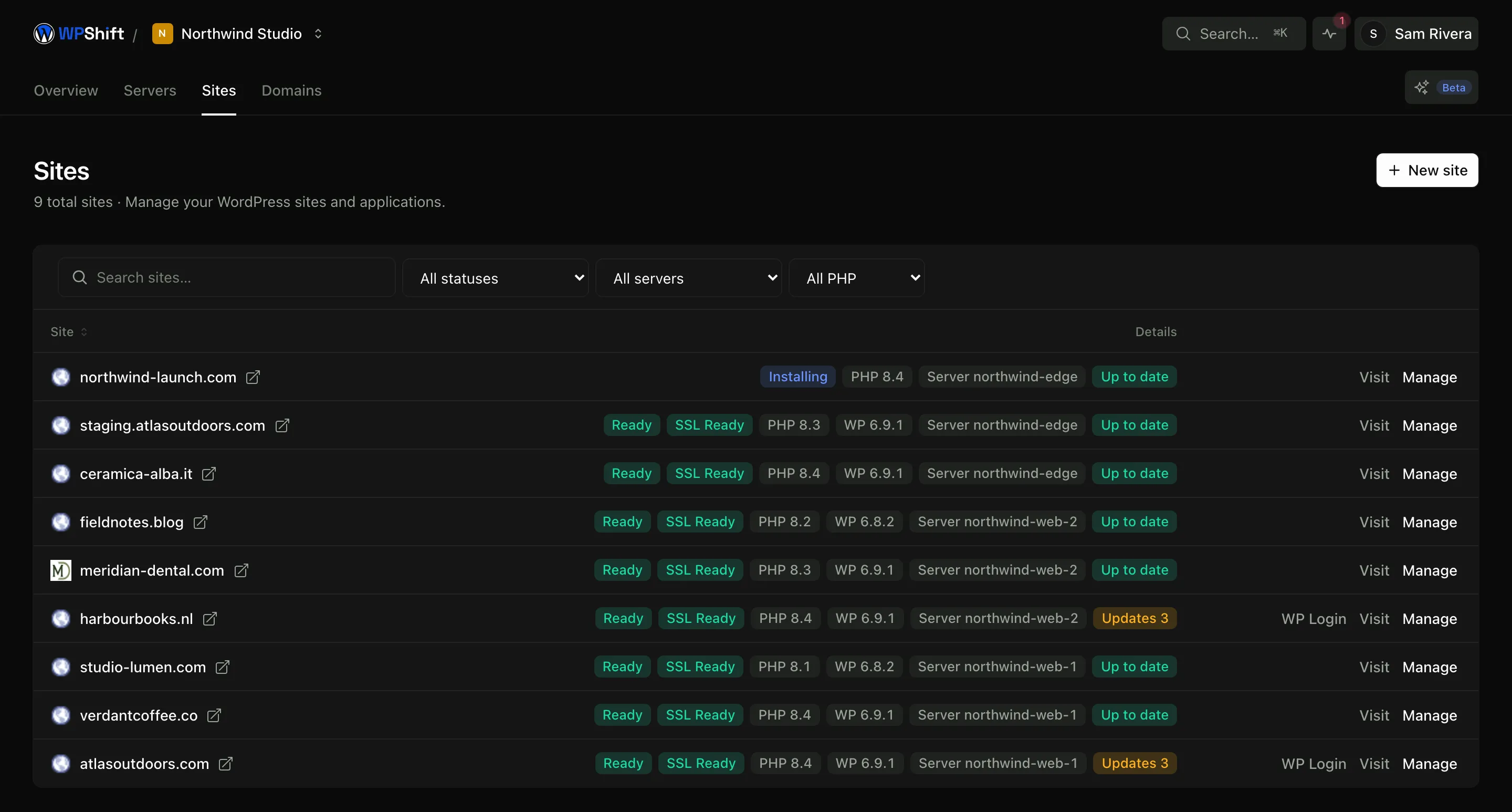
WPShift copies a site to a new site. It does not write over an existing one, so there is no automatic push from staging back to production. Once a change is tested, either apply it to the live site or plan a cutover that accounts for the content, comments and orders added since the copy was taken.
A staging copy is not private by default
The copy asks search engines not to index it. That is a request, not access control: anyone with the address can open it. Delete the copy when you are done, and think twice before putting customer data on one.
Common questions
How do I create a WordPress staging site?
Create a site and choose an existing site as its source. WPShift copies the database and files and sets the copy up with its own database, system user and address.
Can I push a staging site over the live one?
No. Cloning creates a new site rather than overwriting an existing one. To go live, either apply the tested change to the live site or plan a cutover, and account for anything added to the live site while you were testing.
Does the copy use the same PHP version as the original?
It starts on the source site's version, which is what makes the comparison meaningful. You can then move the copy to a different version, which is usually why people make one.
Will search engines index my staging site?
The copy asks them not to. That is not password protection, and anyone with the address can reach it, so treat it as unlisted rather than private, and delete it when you have finished.
Which plans include staging and cloning?
Staging and cloning are available on paid plans. See the plan comparison for what each one includes.
Keep reading
- Site managementInstall WordPress and manage plugins, themes, logs and hosting settings in one place.
- PHP versionsInstall several PHP versions on one server and choose one per site.
- BackupsSchedule off-server backups and restore a copy when you need to recover a site.
- Cloud serversConnect your cloud account and let WPShift install and configure the server for WordPress.
Set up your first WordPress server
Connect your cloud account, let WPShift prepare the server, and add a site.
Free plan available. Paid plans include a 7-day trial. Server costs are separate.