

FeaturesCaching
Give WordPress less repeated work to do.
WPShift configures page caching in the web server and a Redis object cache inside WordPress. Both are managed per site, and either can be cleared from the dashboard.
Free plan available. Features vary by plan. Server costs are separate.
How it works
- Step 1
Page caching in the web server
A cached page is returned by the web server without starting WordPress at all, which is the largest single reduction in work available.
- Step 2
Personal requests are excluded
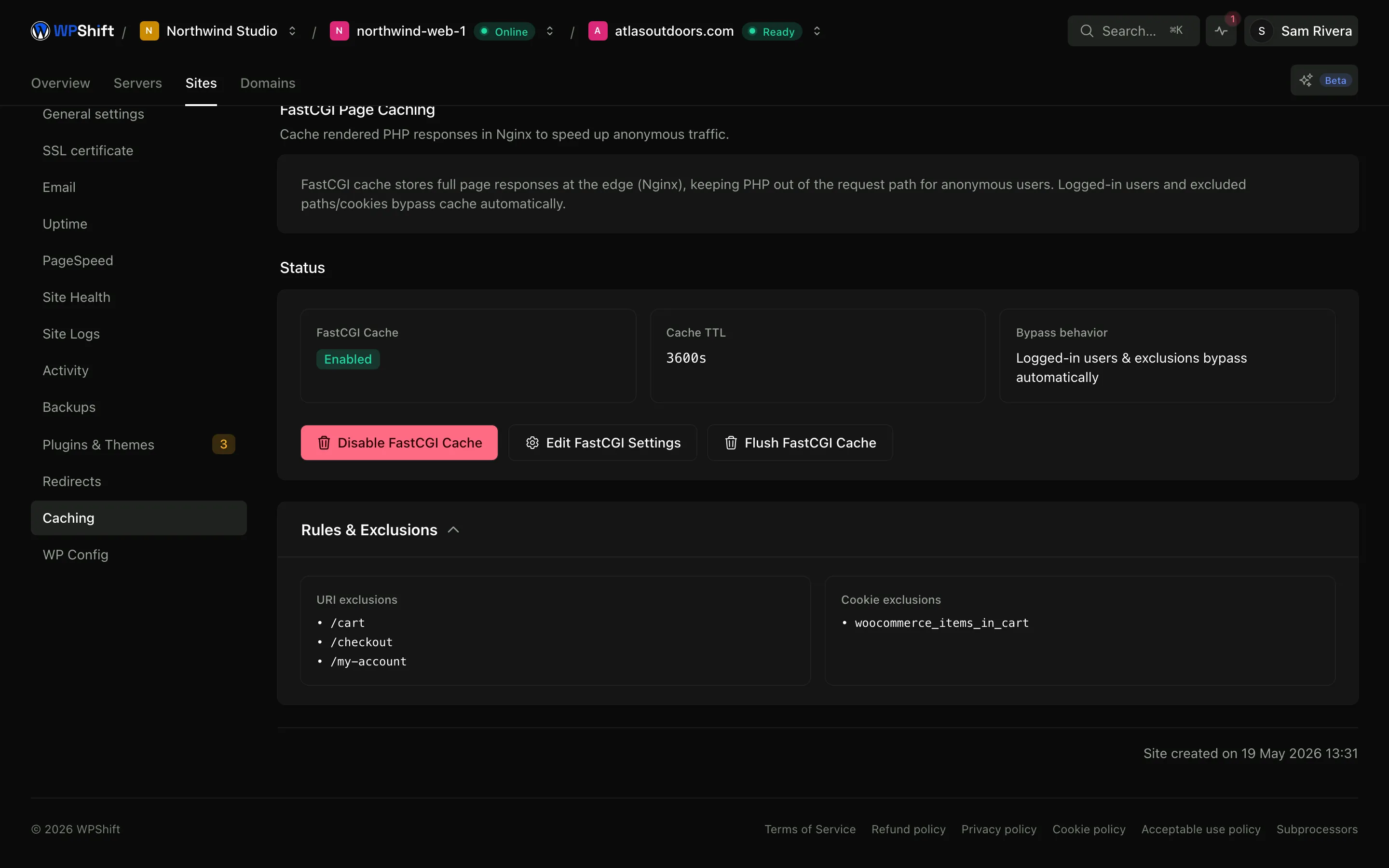
Logged-in sessions and WooCommerce cart, checkout and account paths bypass the page cache by default.
- Step 3
Redis for repeated queries
The object cache keeps reusable data in memory, which helps the requests that cannot be served from a stored page.
A cached page skips WordPress entirely
Without a cache, every request starts PHP, queries the database and assembles the page. With page caching the web server returns a stored copy instead. For pages where every visitor sees the same thing, that removes almost all of the work.
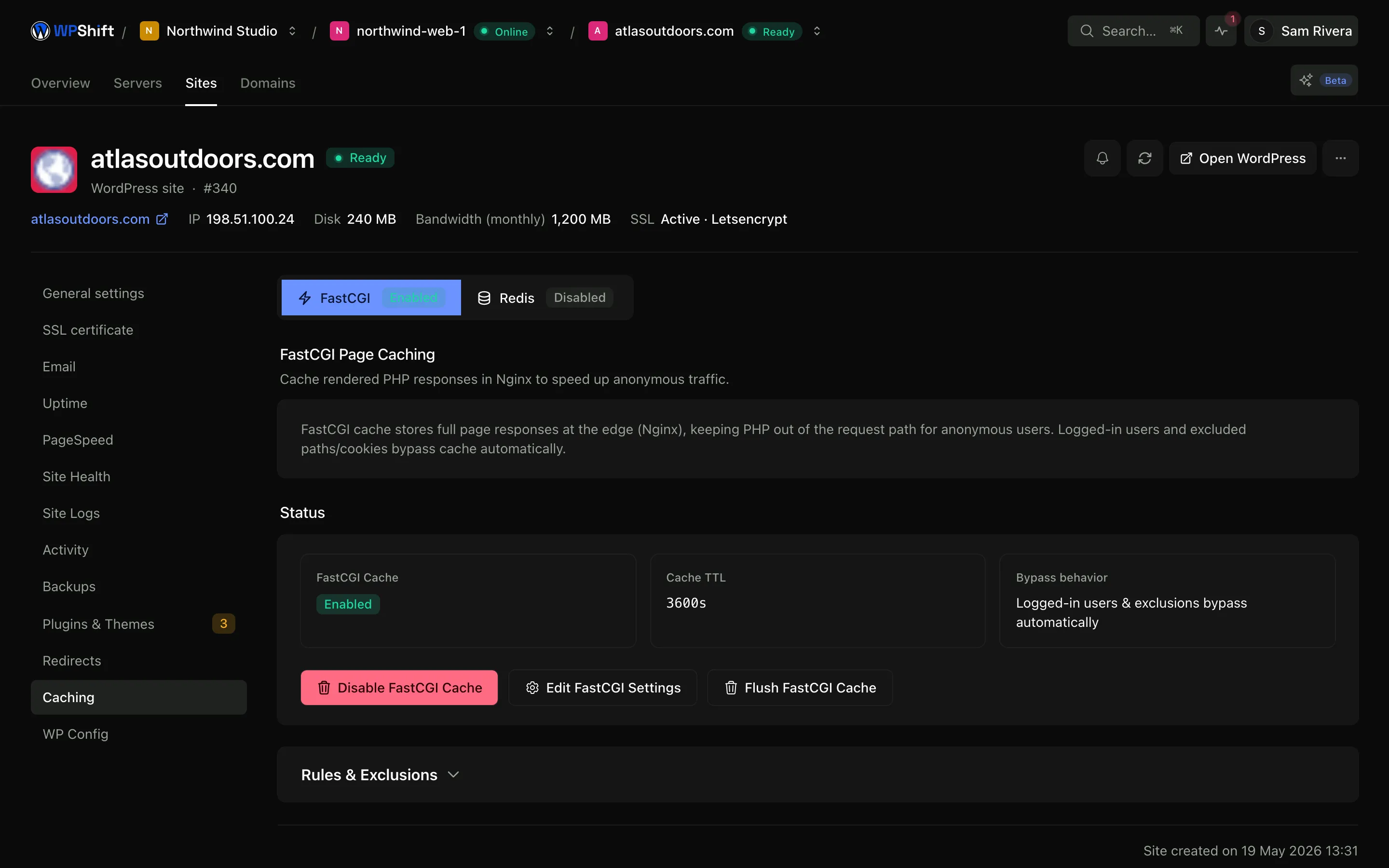
Carts, checkouts and logged-in sessions bypass it
The default rules exclude logged-in sessions and WooCommerce cart, checkout and account requests, which is what stops one visitor being served a page built for another. If your site personalises other pages, add those paths to the exclusions.
Redis handles what page caching cannot
A shop checkout, the WordPress admin and a members area look different for every visitor, so they cannot be served from a stored page. The object cache reduces the database work behind them instead. WPShift installs Redis and connects WordPress to it.
Clear either cache from the dashboard
The page cache and the object cache clear separately, which matters when you have changed a template but not the content it renders.
What the cache rules actually say
A request skips the page cache when it is a POST, when it carries a query string, or when it arrives with a cookie matching wordpress_logged_in, comment_author, woocommerce_items_in_cart, woocommerce_cart_hash or wp-postpass_. Stored pages are kept for thirty minutes by default and never fewer than sixty seconds. You can add your own URL patterns and cookie names to that list per site.
What happens when PHP is struggling
If PHP times out or returns a 500 or 503, the web server serves the stored copy rather than the error, so a backend problem does not immediately become an outage for everyone reading cached pages. When several visitors request the same uncached page at once, the first request generates it and the rest wait up to ten seconds for that result instead of all starting WordPress at the same moment.
Common questions
Do I still need a caching plugin?
Not for page caching, which happens in the web server before WordPress starts. The object cache does use a WordPress plugin, because that part has to run inside WordPress, and WPShift installs and configures it.
Is page caching safe for a WooCommerce shop?
The default exclusions cover cart, checkout and account paths and logged-in sessions, which is what the risk comes down to. Review the exclusions if your theme or plugins personalise other pages.
What is the difference between page and object caching?
Page caching stores a finished page and serves it without running WordPress, which only works when every visitor sees the same thing. Object caching stores the results of individual queries, so that when WordPress does run it has less to do. They apply to different requests and are worth having together.
How do I clear the cache?
From the site's caching settings. The page cache and the object cache can be cleared independently.
Will caching make my site faster?
It removes repeated work on the server, which usually reduces the time taken to return a page. How much visitors notice also depends on the theme, plugins, images and scripts the page loads in their browser.
How can I tell whether a page was served from the cache?
Every response carries an X-FastCGI-Cache header. HIT means the stored copy was returned, MISS means WordPress generated the page and it has now been stored, and BYPASS means a rule excluded the request: a logged-in cookie, a query string or a POST. You can read it with curl without opening the dashboard.
Keep reading
- PageSpeed monitoringTrack mobile and desktop PageSpeed results and see when a score changed.
- PHP versionsInstall several PHP versions on one server and choose one per site.
- DatabasesCreate and manage site databases and the users allowed to reach them.
- Site managementInstall WordPress and manage plugins, themes, logs and hosting settings in one place.
Set up your first WordPress server
Connect your cloud account, let WPShift prepare the server, and add a site.
Free plan available. Paid plans include a 7-day trial. Server costs are separate.