

FeaturesBackups
Scheduled backups, stored off the server.
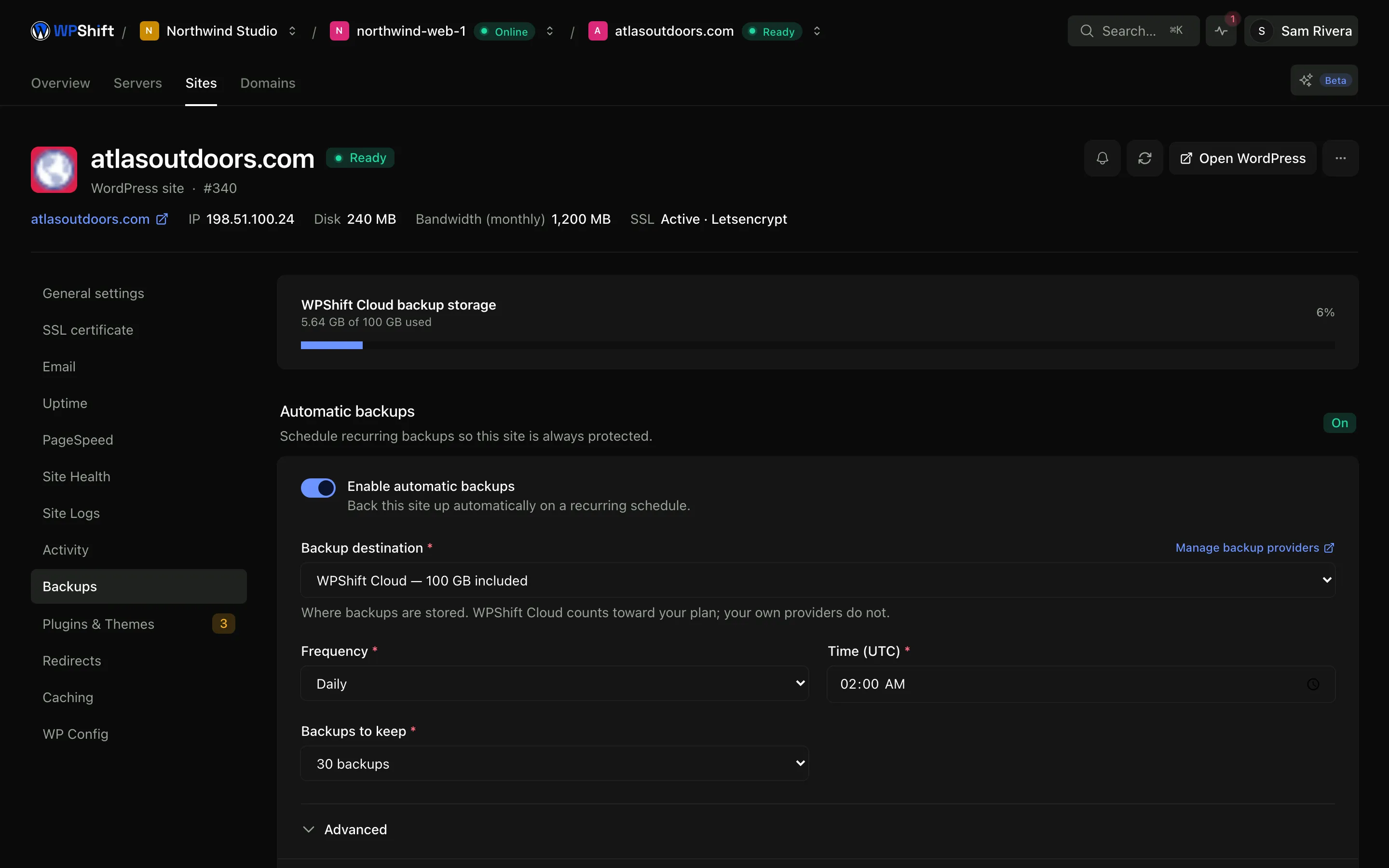
Back up a site's files and database on a schedule you set, or run one before making a change. Copies are stored away from the server they came from, and can be restored to the original site or to a different one.
Free plan available. Features vary by plan. Server costs are separate.
How it works
- Step 1
Set a schedule per site
Sites do not all need the same frequency. Set the schedule and how many copies to retain for each one.
- Step 2
Stored off the server
In storage included with your plan, or in an S3-compatible account you control and are billed for directly.
- Step 3
Restore where you choose
Back over the original site, or onto a different site so you can check the copy before committing to it.
Kept away from the server they protect
Backups are stored separately from the server, because a copy on the same machine goes down with it. Use the storage included with your plan, or connect your own account at Amazon S3, Cloudflare R2, Wasabi, Backblaze B2 or another S3-compatible provider, in which case that provider bills you and you hold the keys.
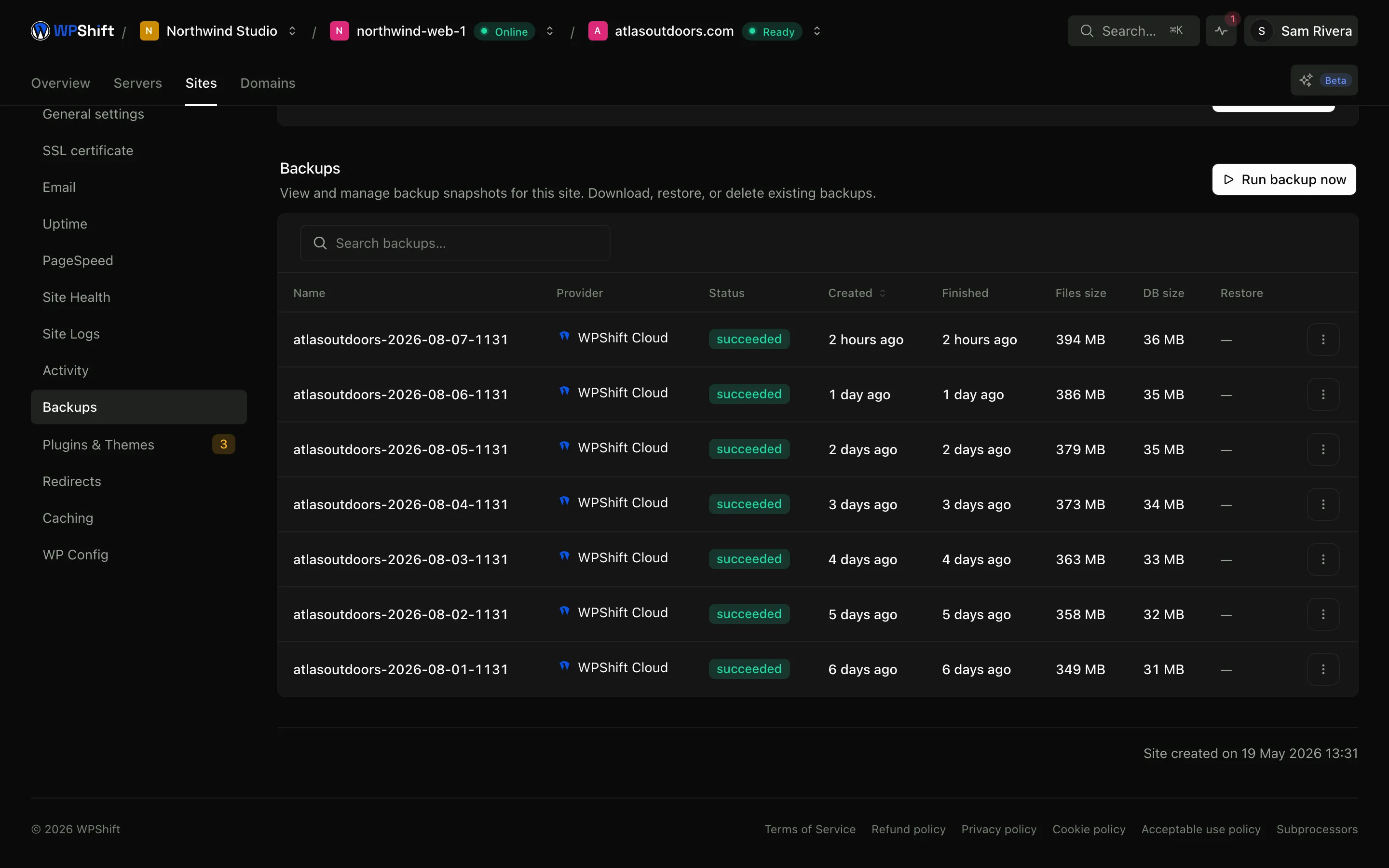
Files and database, downloadable separately
Each backup keeps the files and the database as separate parts, and each downloads on its own. Recovering a deleted media folder does not have to mean rolling the database back to the same point.
Restore to another site to check it
Restoring onto a different site tells you whether a backup is complete without putting the live version at risk. It is also how you retrieve one thing from an older copy without undoing everything since.
Choose how many copies to keep
Retention decides how far back you can go and how much storage the copies use. Copies beyond the retention you set are removed, so the storage figure stays a number you chose.
How the database export is taken
The export runs as a single transaction with table locking switched off, so the site keeps reading and writing while it runs rather than pausing for the length of the dump. If mysqldump is unavailable or lacks the privileges it needs, WPShift exports through WP-CLI instead of failing the backup. The database and the file archive are each recorded with a checksum, so a copy that was truncated on its way to storage can be told apart from one that arrived intact.
Common questions
How often are backups taken?
On the schedule you set for each site, and on demand whenever you run one manually, which is worth doing before a change you are unsure about.
Where are backups stored?
In storage included with your plan, or in an S3-compatible account of your own: Amazon S3, Cloudflare R2, Wasabi, Backblaze B2 or a compatible endpoint. With your own account, your storage provider bills you and the copies do not depend on your WPShift subscription.
How do I restore a backup?
Choose the backup and the destination. Restoring over the original replaces what is there, so check the destination before confirming. Restoring to a different site first lets you inspect the result.
Does a backup include the database?
Yes. Files and database are kept as separate parts of the same backup, and each can be downloaded on its own.
Can I keep a copy myself?
Yes. Download the files or the database from any backup. They are a standard archive and a standard SQL export, not a proprietary format.
Does taking a backup slow the site down?
The database is exported in a single transaction without locking tables, so the site keeps serving while the dump runs. On a large database the export still costs disk and CPU, which is the reason to schedule backups outside your busiest hours rather than to avoid them.
Keep reading
- Site managementInstall WordPress and manage plugins, themes, logs and hosting settings in one place.
- Staging & cloningCopy a site to test a PHP, plugin or theme change before touching the live version.
- Uptime monitoringCheck whether sites respond, keep the history, and get an alert when checks fail.
- Security & firewallA default-deny firewall, managed SSH keys, and separate users and credentials per site.
Set up your first WordPress server
Connect your cloud account, let WPShift prepare the server, and add a site.
Free plan available. Paid plans include a 7-day trial. Server costs are separate.