

FeaturesEmail hosting
Mailboxes on your own domain.
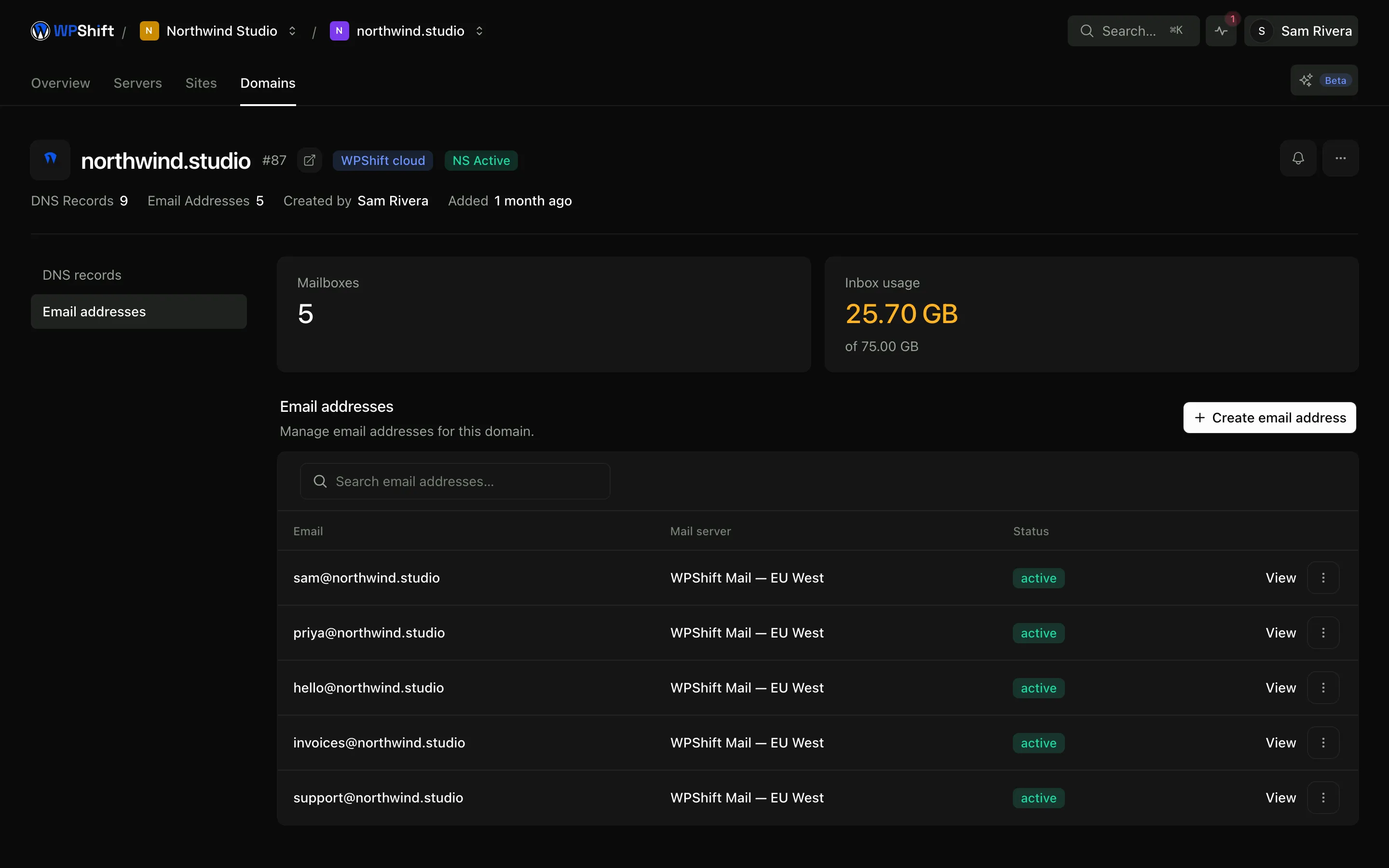
Create mailboxes for your business or your clients and use them in the included webmail or any standard mail app. Mailboxes and their storage are managed in the same dashboard as your sites.
Free plan available. Features vary by plan. Server costs are separate.
How it works
- Step 1
Add an address to a domain
Create a mailbox on a domain in your workspace and set the storage it gets.
- Step 2
Mail records configured
On domains whose DNS WPShift manages, the records for routing and authentication are configured with the mailbox.
- Step 3
Use webmail or your own app
Webmail is included, and the mailbox works over the standard protocols in Apple Mail, Outlook, Thunderbird or a phone.
Mailboxes, not forwarding
A mailbox has its own storage, sends as its own address and keeps a copy of what was sent. Forwarding to a personal address covers receiving, but not replying as the business, keeping a record, or handing the account to someone else when the person moves on.
Authentication records set up with the domain
Receiving systems check which servers may send for your domain, whether a message carries a valid signature, and what to do when either check fails. Those records are configured when WPShift manages the domain's DNS. Correct authentication supports delivery; it does not by itself put a message in the inbox, which also depends on sending reputation and content.
Send your site's mail through a mailbox
Point a WordPress site's outgoing mail at an authenticated mailbox on its own domain instead of letting the web server send directly. Check the mailbox's sending limits against the volume your site produces before relying on it.
Or keep the provider you have
Google Workspace, Microsoft 365 or another provider can stay where it is. Set the domain's mail records to point at them in the DNS editor; the sites you host are unaffected either way.
Common questions
Are these real mailboxes or forwarding?
Real mailboxes with their own storage, reachable over the standard mail protocols and through the included webmail. You can send as the address, and what you send is kept on the server.
Will this stop my WordPress emails going to spam?
It addresses the most common cause, which is mail sent straight from the web server with no authentication behind it. Delivery also depends on sending reputation, message content and the receiving service's own rules, so it improves the odds rather than guaranteeing the inbox.
Can I keep Google Workspace or Microsoft 365?
Yes. Point the domain's mail records at them in the DNS editor. Hosting the site with WPShift does not require using its mailboxes.
How many mailboxes do I get?
The number of mailboxes and the storage available are set by your plan. See the plan comparison for the current allowances.
Can I send a newsletter from a mailbox?
A mailbox is intended for correspondence and site notifications. Bulk campaigns belong with a service built for them, which handles list management, bounces and unsubscribes as well as sending.
Keep reading
- Domains & DNSManage domain records alongside your sites, or keep DNS with your existing provider.
- Site managementInstall WordPress and manage plugins, themes, logs and hosting settings in one place.
- Team accessOrganise client work into workspaces and give each person their own account.
- Cloud serversConnect your cloud account and let WPShift install and configure the server for WordPress.
Set up your first WordPress server
Connect your cloud account, let WPShift prepare the server, and add a site.
Free plan available. Paid plans include a 7-day trial. Server costs are separate.